
Order Confirmation Email Delivery Dates
Last Updated: Mar 13, 2026
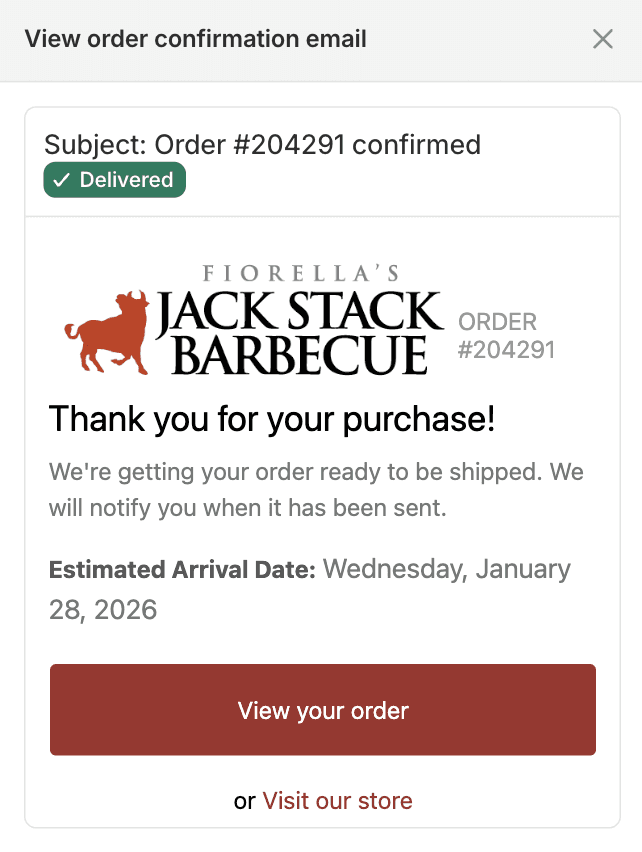
Order confirmation email showing delivery date prominently displayed in email body.
Customer places an order, receives a confirmation email and immediately wonders When will this arrive. If the confirmation email doesn't show a delivery date, that question becomes a support ticket. Including delivery date in the confirmation email sets expectations at the right moment - immediately after purchase, before the customer has time to wonder. Customers who see Expected delivery January 15 in their inbox feel informed and confident. Customers who don't become your next Where is my order inquiry.
How Flare Solves It.
Delivery date, ship date and time slot in confirmation
The selected delivery date, calculated ship date and chosen time slot all appear in the order confirmation email automatically. Customers see the full picture of their order timeline - when it leaves, when it arrives and what window to expect - without needing to contact support.
Delivery date data syncs to Klaviyo, Omnisend, Shopify Email and any platform that reads Shopify order metafields. Use delivery date as a personalisation variable in any email template or trigger date-based automated flows.
Trigger date-based flows in Klaviyo or Omnisend
Use delivery date to trigger automated pre-delivery emails. Send a reminder the day before delivery. Trigger a satisfaction follow-up the day after. Build delivery-aware email sequences that communicate with customers at the right moment without manual sends.
Reduce immediate post-purchase support tickets
Customers don't email asking when their order ships or arrives. The date is in their inbox before they think to ask - eliminating the most common post-purchase support inquiry at its source.
Expected delivery appears in the confirmation email before customers have time to wonder. The order is placed, the date is confirmed, the experience starts correctly.
Reduce post-purchase anxiety
Customers with delivery dates visible in their confirmation email feel informed and in control. Less buyer anxiety, fewer check-in emails to your support team and a more confident post-purchase experience.
See Real Examples.
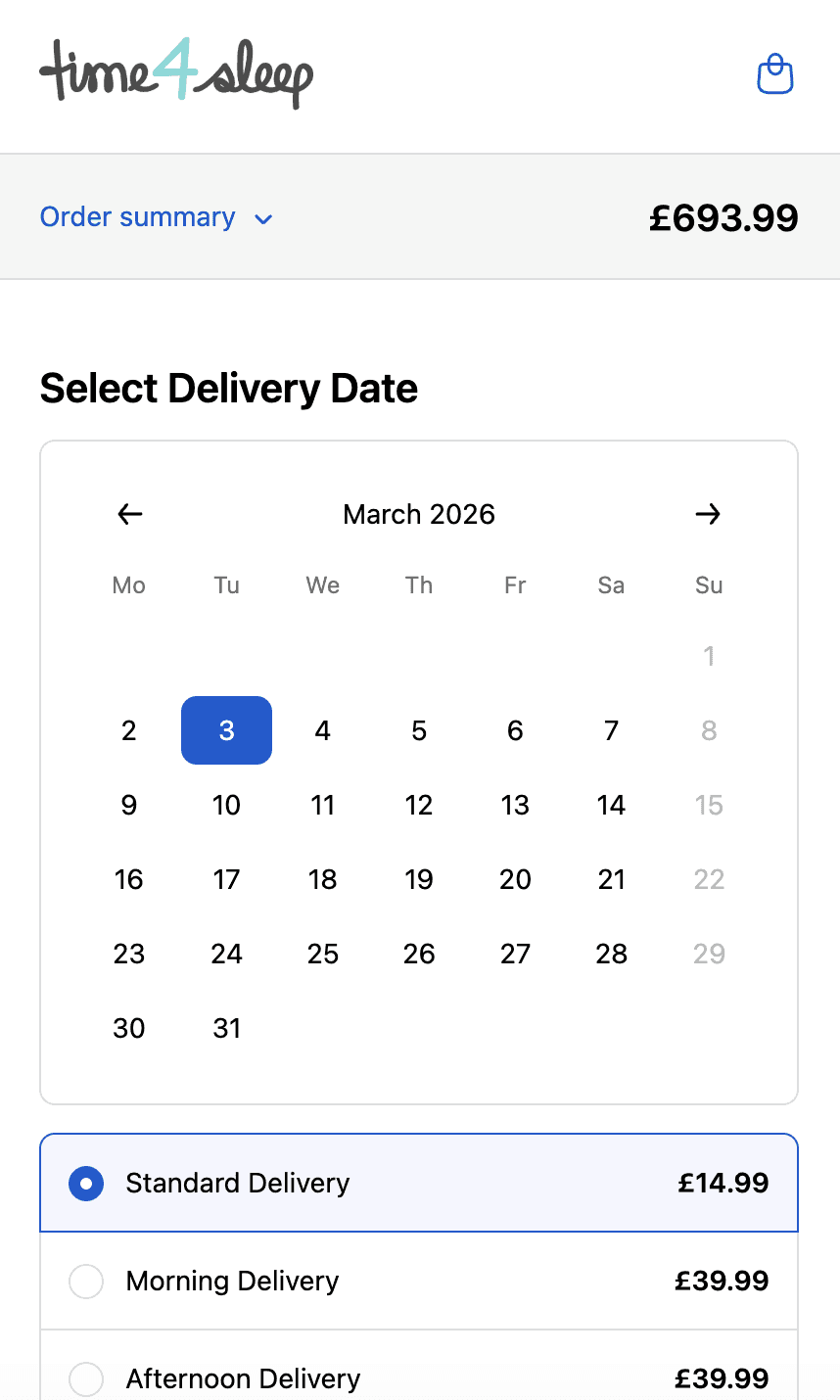
Time4sleep
Cut-off times, postcode rules, product lead times and shipping rates by date.
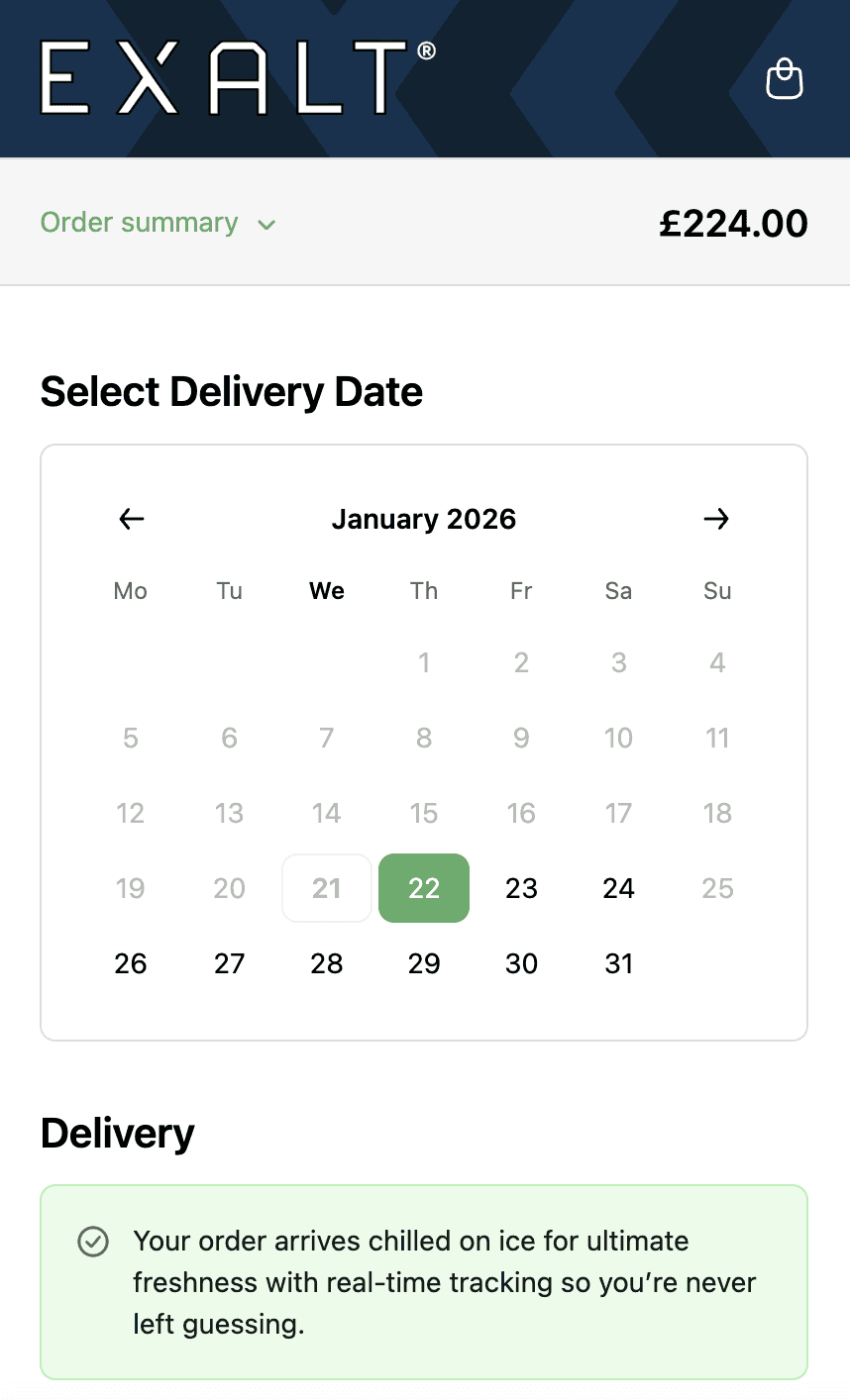
EXALT.
Cut-off times, subscription recurring order logic and Express Payment option compatibility.
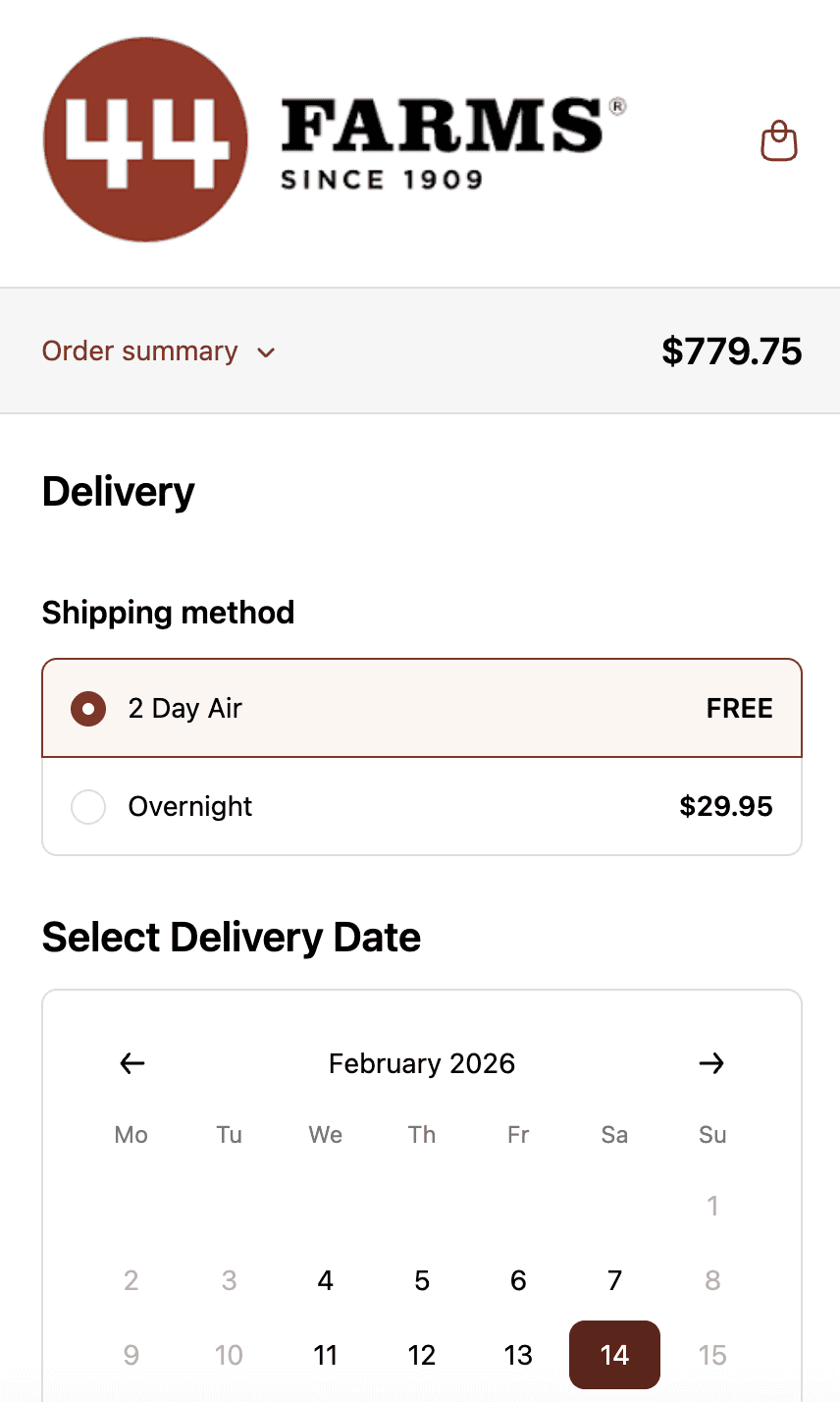
44 Farms.
Shipping methods and transit days by zip code, available dates by shipping method and shipping rates.
Who This is For.
Used by 700+ Shopify brands across categories like:



How to Setup.
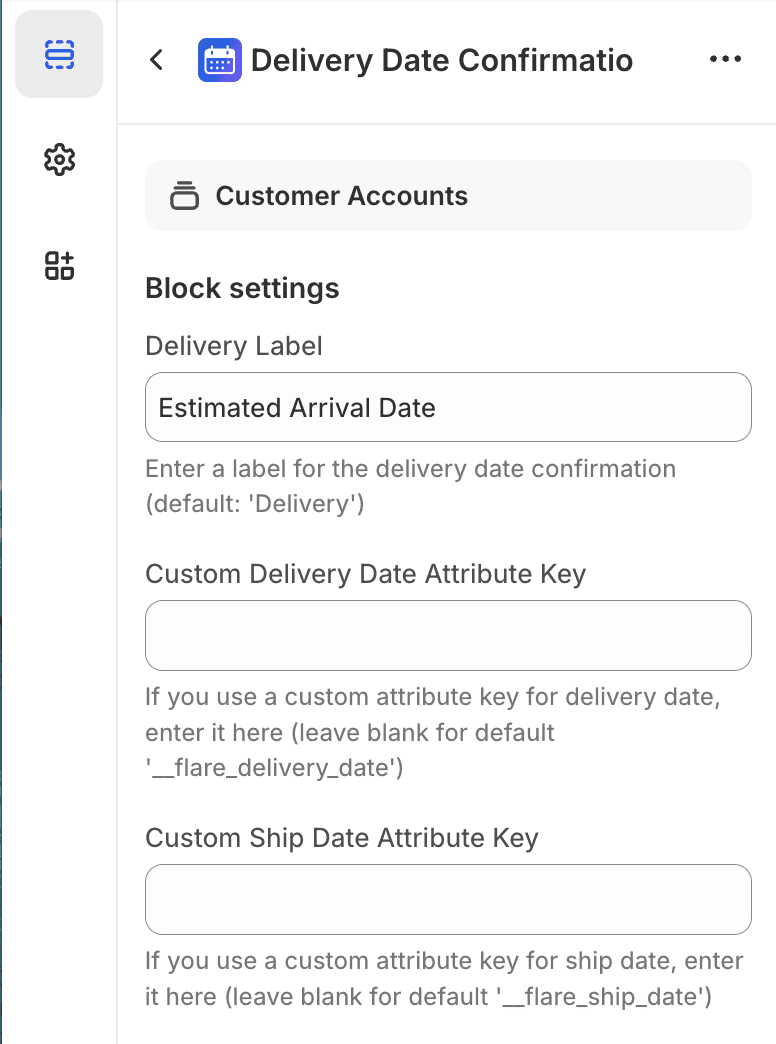
Email template editor showing delivery date variable being added to confirmation template.
See Related Features
How is this different from Shopify's native order confirmation email?
Which email platforms does Flare support?
Can I customise how the delivery date appears in emails?
What if the delivery date changes after the order is placed?