
Cart & Drawer Date Picker for Pre-Checkout Selection
Last Updated: Mar 13, 2026
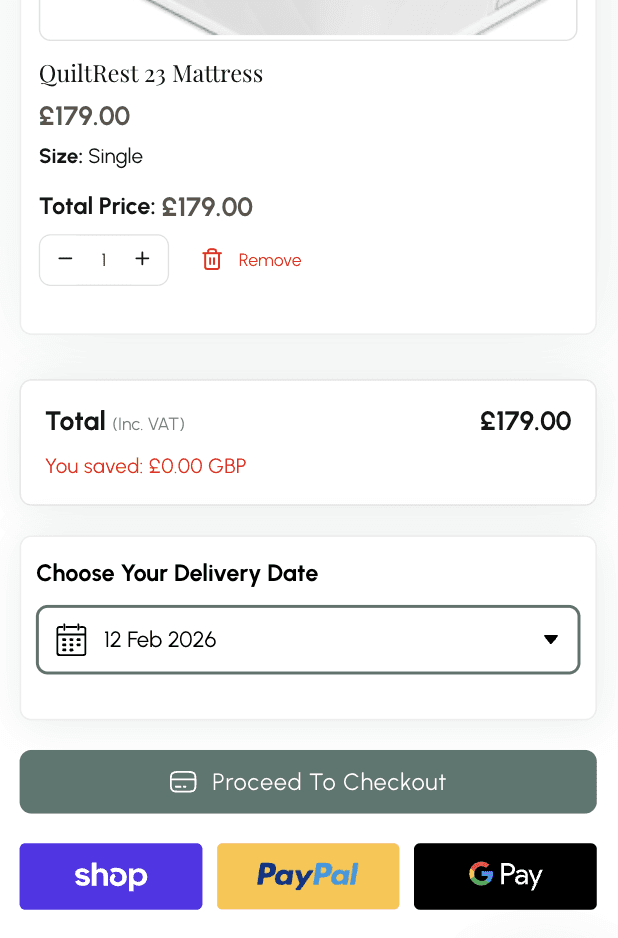
Delivery date picker shown in slide-out cart drawer allowing date selection before checkout.
The cart is where most customers make their final purchase decision. Without delivery date selection here, customers either proceed to checkout uncertain about timing or abandon entirely. Cart placement catches the customer at the natural review moment - before they commit - and resolves delivery uncertainty at the right time. For stores not on Shopify Plus, cart and cart drawer placement is the primary way to add delivery date selection to the checkout flow without Checkout Extensibility access.
How Flare Solves It.
Make date selection mandatory before checkout
Require customers to select a delivery date in the cart before proceeding to checkout. Prevents dateless orders reaching your fulfillment team entirely - useful for any business where fulfilling without a date is operationally impossible.
Integrates with slide-out cart drawers, AJAX carts and all major Shopify themes without code. Works with popular cart apps including Rebuy and Slide Cart. If your cart works with Shopify, Flare works with your cart.
Selected date carries through to checkout
The date chosen in the cart passes automatically to checkout and order confirmation. Customers don't re-enter their date - it's already confirmed when they reach checkout.
Reduce cart abandonment
Customers who resolve delivery timing in the cart are more likely to proceed to checkout. Uncertainty about when an order arrives is one of the most common reasons for abandonment - resolving it in the cart removes that barrier.
Customers review items, quantities and now delivery date together in one place before committing. A smoother, more complete pre-checkout experience that builds purchase confidence.
Eliminate dateless orders from reaching fulfillment
Mandatory date selection in the cart means every order that reaches your team has a delivery date attached. No chasing customers post-purchase for missing information.
See Real Examples.
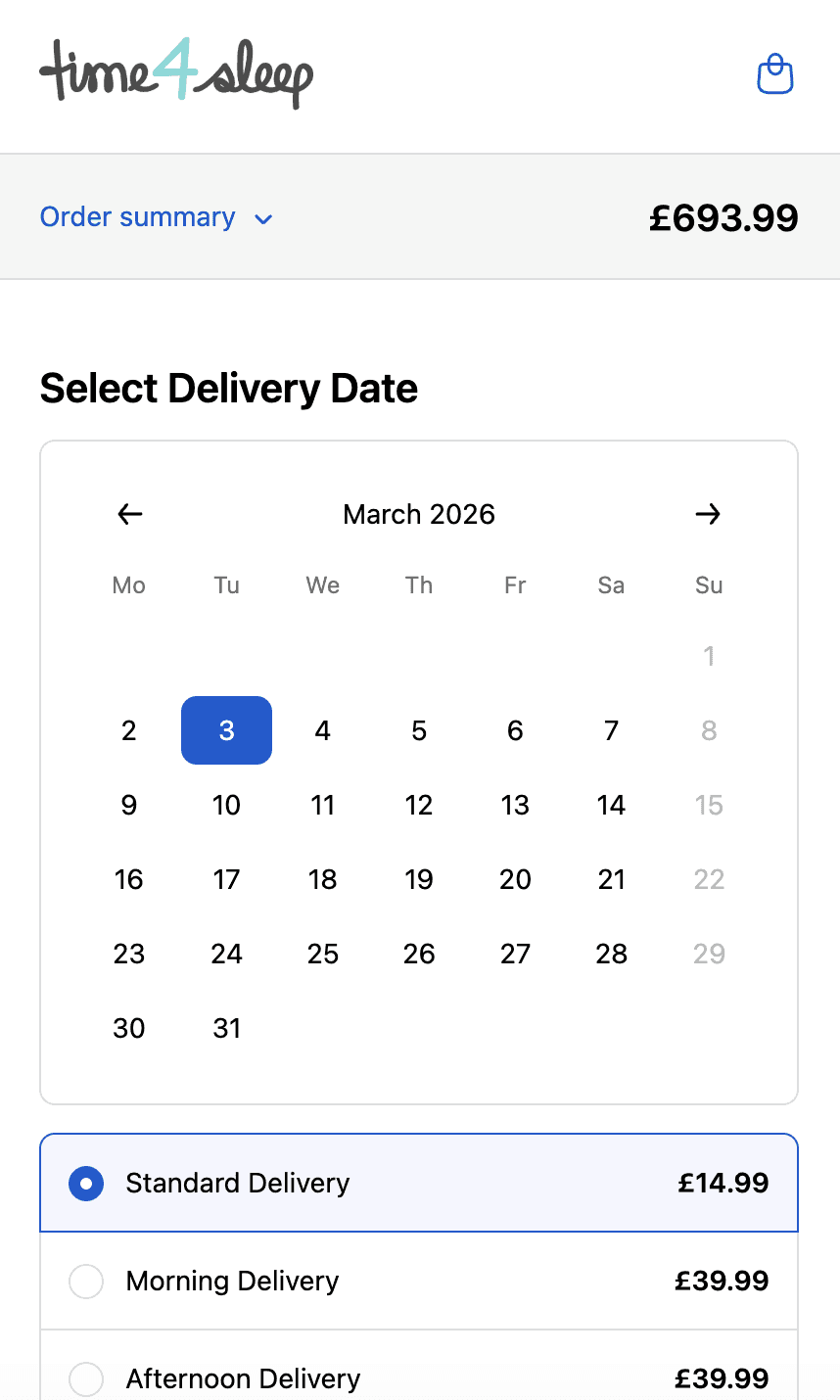
Time4sleep
Cut-off times, postcode rules, product lead times and shipping rates by date.
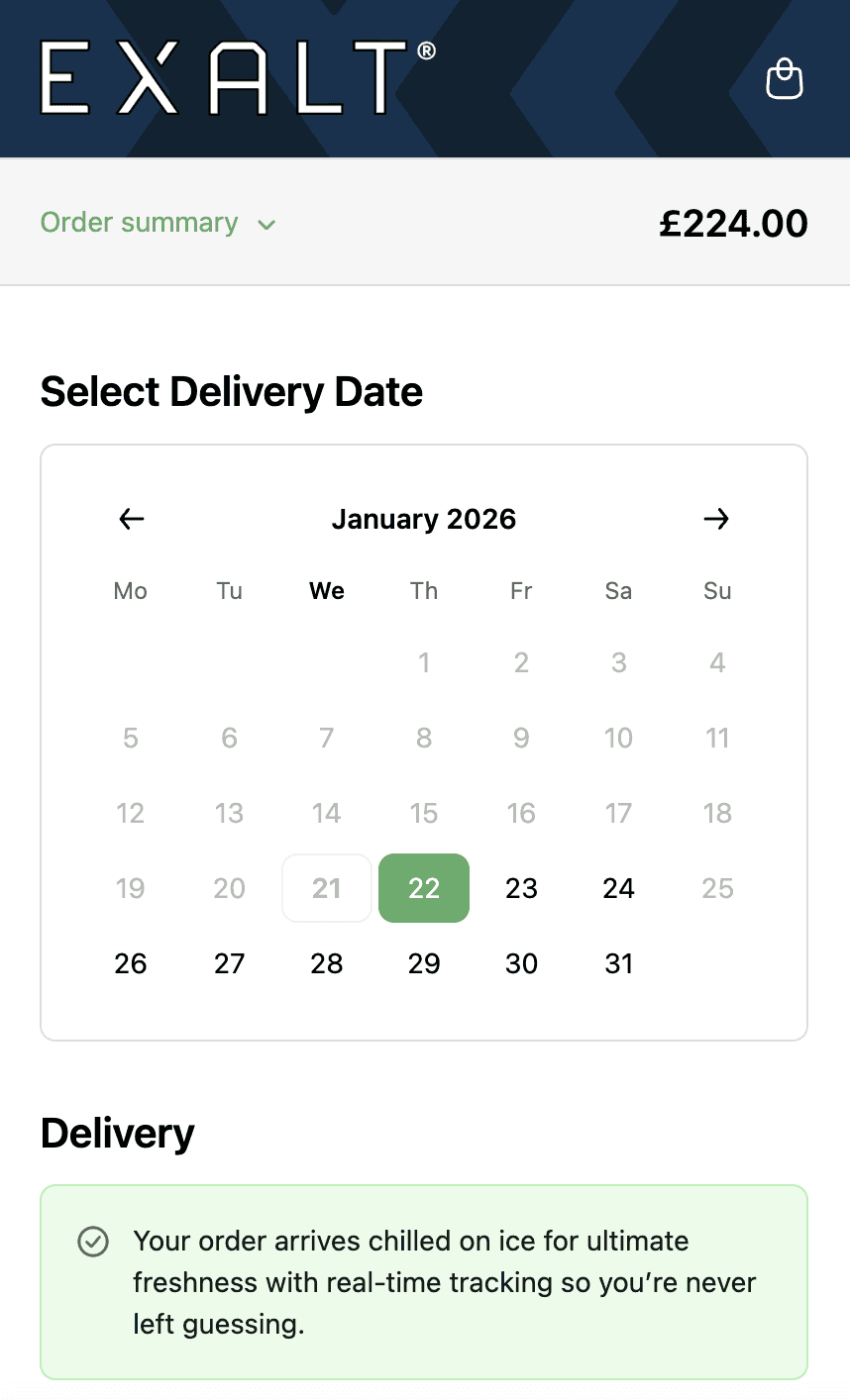
EXALT.
Cut-off times, subscription recurring order logic and Express Payment option compatibility.
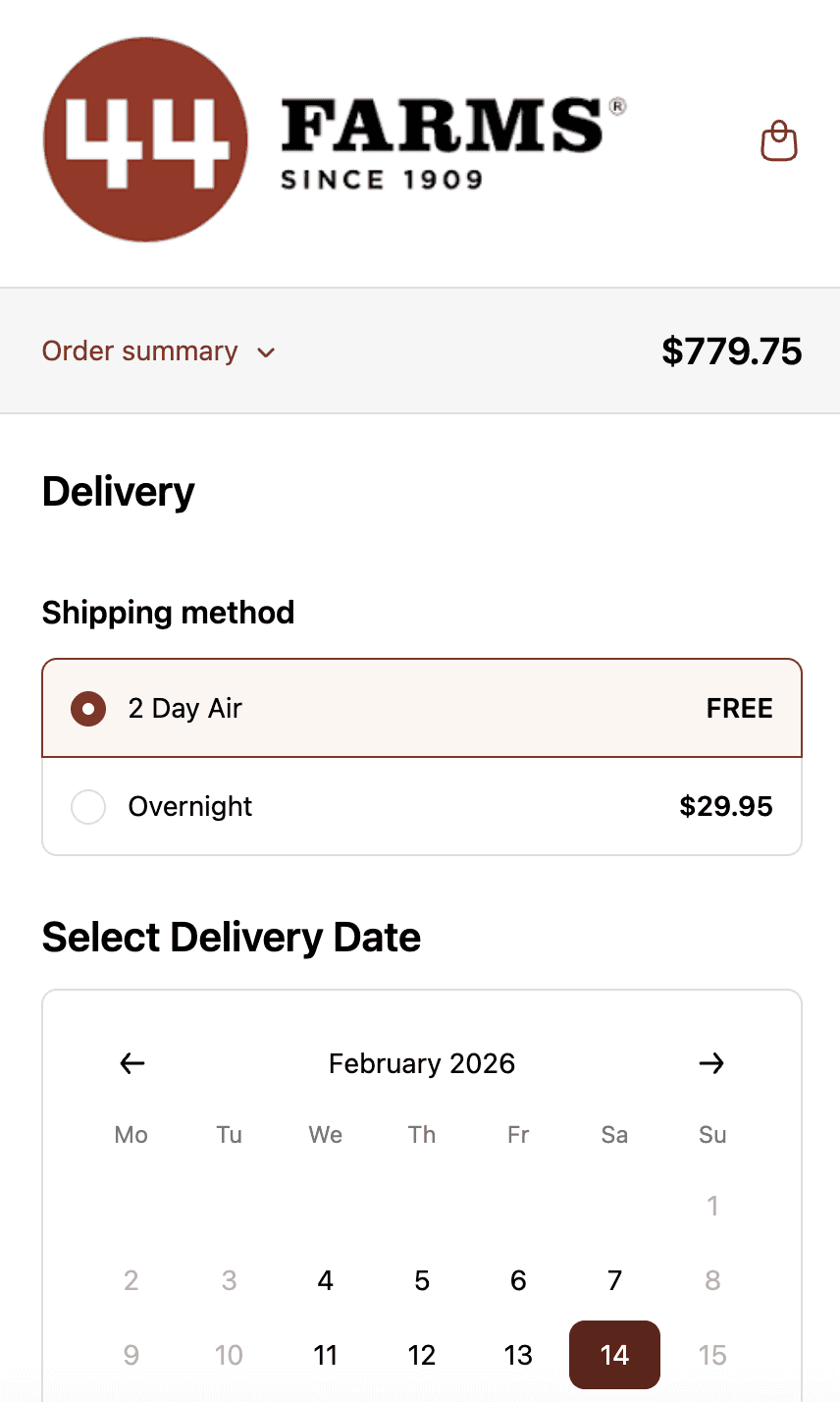
44 Farms.
Shipping methods and transit days by zip code, available dates by shipping method and shipping rates.
Who This is For.
Used by 700+ Shopify brands across categories like:



How to Setup.
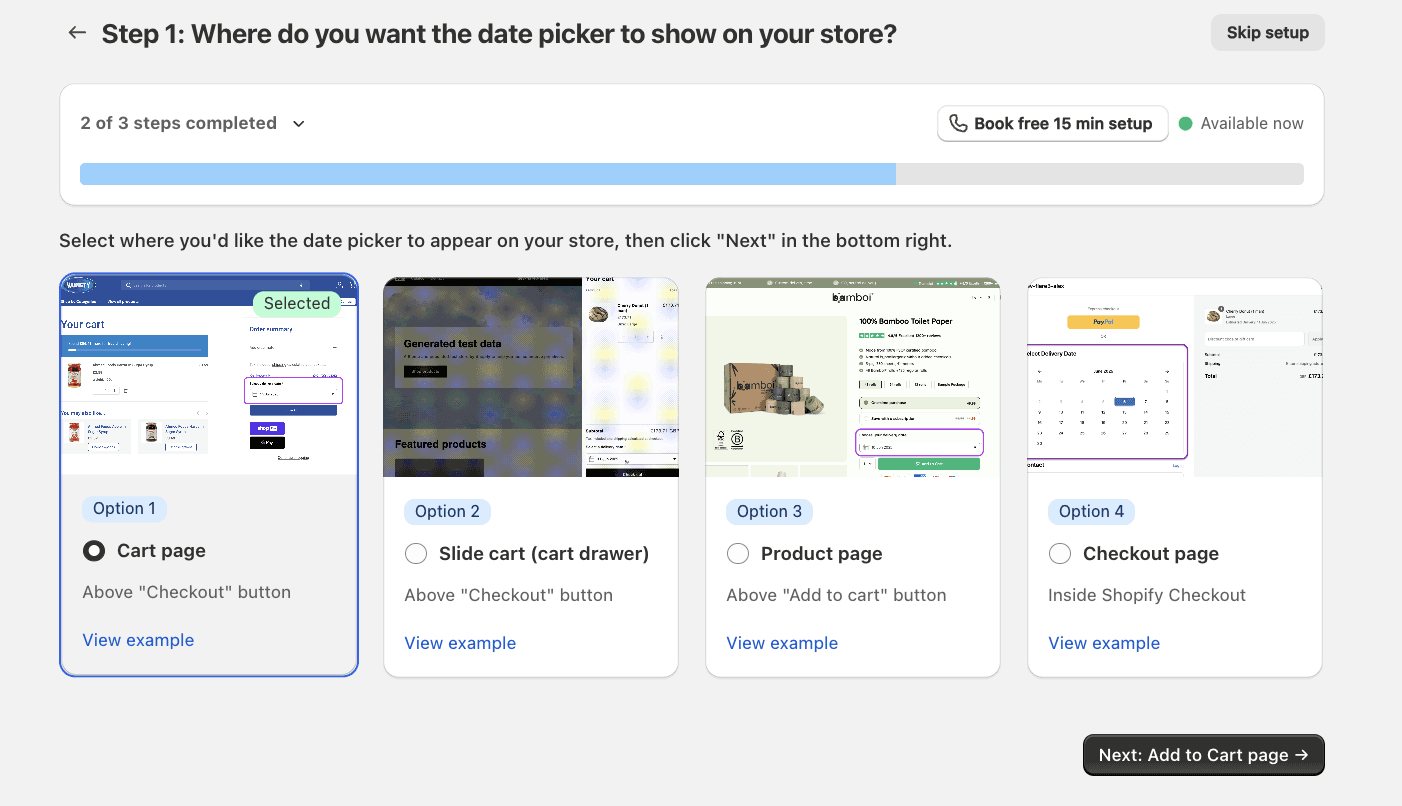
Cart page with delivery date picker integrated into cart review interface.
See Related Features
How is this different from Shopify's native checkout?
Can I make date selection mandatory?
Does this work with my cart drawer or third-party cart app?
What happens if a customer changes their cart contents after selecting a date?