
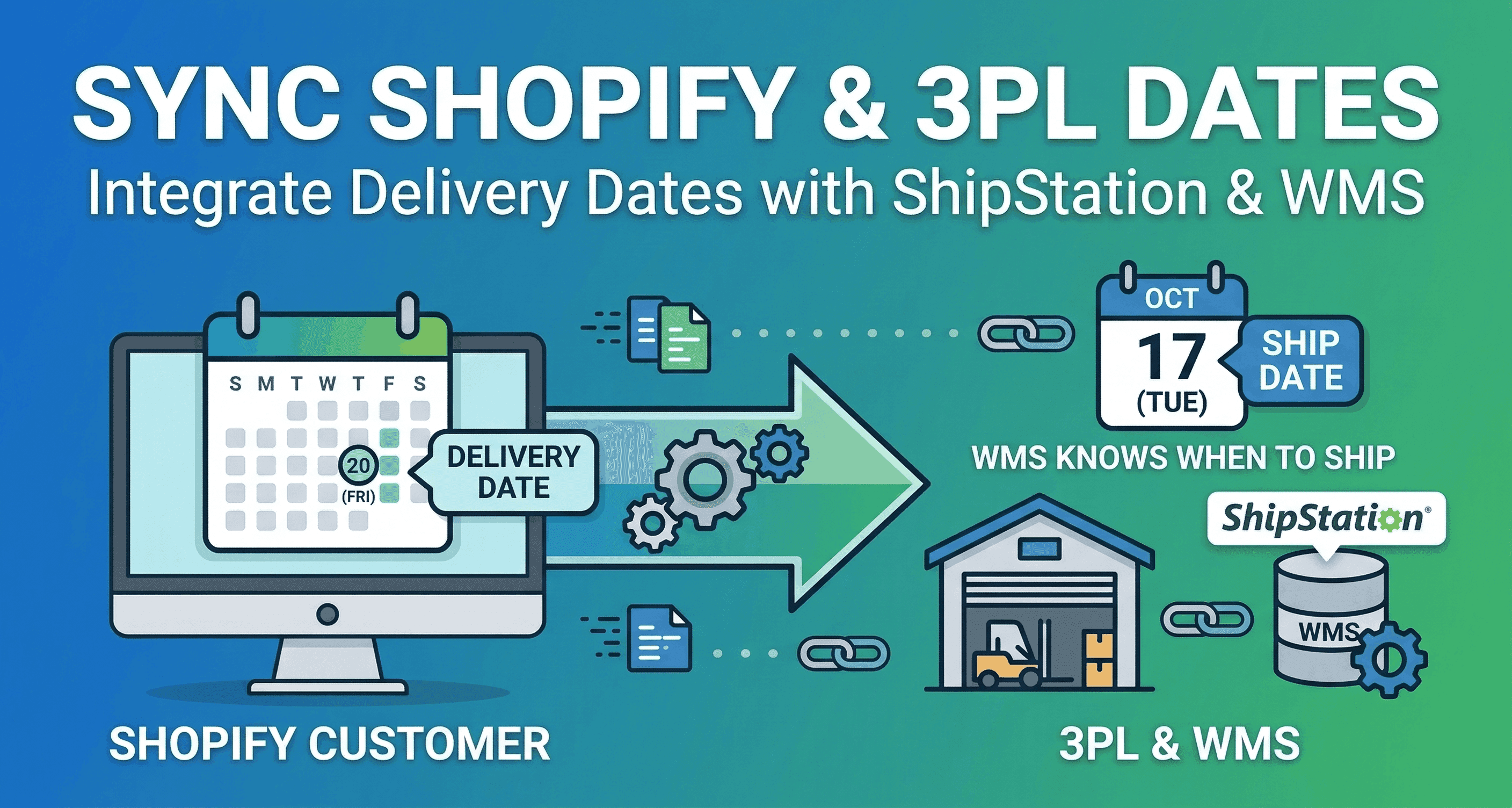
The 3PL Handoff: Integrating Delivery Dates with ShipStation & WMS
Stop missing fulfillment windows. Learn how to pass Shopify delivery dates directly into ShipStation and your WMS using tags, custom fields, and automated ship-date calculations.
A customer visits your Shopify store to buy a high-end anniversary gift. They use your checkout calendar to select a delivery date of Friday. They pay, feel confident, and close the tab.
Now the clock is ticking. Your third-party logistics provider (3PL) or internal warehouse team receives the order. But if your tech stack is disconnected, your Warehouse Management System (WMS) just sees a new order in the queue.
The warehouse staff packs the box on Tuesday and ships it out. It arrives on Thursday. The customer is furious because the surprise is ruined.
This is the 3PL Handoff Failure.
Integrating delivery dates with ShipStation or a dedicated WMS ensures timely fulfillment by passing specific instructions directly into the order details. If your warehouse does not know exactly when a box needs to leave the loading dock, offering a calendar at checkout is useless.
This guide breaks down exactly how to translate a customer-facing delivery date into backend warehouse logic.
The Core Problem: Delivery Date vs. Ship Date
Before you map any data fields, you must understand the difference between the two dates governing your supply chain.
The Delivery Date: This is the day the customer wants the package to arrive at their front door.
The Ship Date: This is the day the warehouse must hand the package to the carrier (like UPS or FedEx) so it arrives on the Delivery Date.
Warehouse staff do not care about the Delivery Date. If a worker sees "Deliver on Friday" on a packing slip, they have to stop and do mental math. They have to guess the carrier transit time, factor in the current day of the week, and decide if they need to pack it today or tomorrow. Mental math leads to mistakes.
Your goal is to feed the WMS the exact Ship Date.
3 Methods to Pass Dates to ShipStation and WMS
If you are using ShipStation or an advanced WMS like Extensiv or SKUSavvy, you have three primary ways to feed them date logic from Shopify.
Method 1: Custom Fields and Order Notes
ShipStation supports specific fields like "Ship By Date" and "Deliver By Date". You can map data from your Shopify cart directly into these fields.
If you use a checkout app, it can capture the customer's selected date and inject it into the Shopify order notes or a custom attribute. Tools like Order Desk act as a middleware bridge, reading that Shopify attribute and mapping it directly to the ShipByDate field in ShipStation.
This method ensures the date appears on the side bar in ShipStation underneath the shipping rate. It allows managers to filter the daily queue based on strict deadlines.
Method 2: Order Tagging for Batch Fulfillment
Warehouse teams love batch processing. Instead of packing orders chronologically, they prefer to group them by urgency or carrier.
You can configure your Shopify store to automatically tag incoming orders. For example, if an order must leave the warehouse on October 12th, the system applies a tag reading Ship_Date:10-12.
Inside ShipStation, you can create automation rules based on these tags. The WMS groups all orders with the 10-12 tag into a single batch. Your team prints the batch, packs the boxes, and hits their deadline perfectly.
Method 3: Shopify Flow Automation
For Shopify Plus merchants, Shopify Flow acts as a powerful routing engine.
You can build a workflow that triggers the moment an order is created. If the delivery date is more than two weeks away, Flow can automatically hold the order in Shopify. The order remains hidden from your WMS until the actual Ship Date approaches. Once the date arrives, Flow releases the order to ShipStation. This prevents future orders from clogging up your active fulfillment queue.
How Flare Automates the 3PL Handoff
Piecing together order notes, middleware apps, and manual tagging is exhausting. It requires constant monitoring.
This is why high-volume brands use Flare to manage the entire handoff. Flare is a delivery date picker built specifically for Shopify, and it handles the backend translation automatically.
Reverse Calculation via Transit Time
Flare solves the mental math problem. You can configure Flare to calculate ship dates automatically from the delivery date and the transit time.
When the customer selects Friday, Flare knows that standard shipping takes three days. It automatically calculates the Ship Date as Tuesday. Your warehouse knows exactly when to ship.
Native 3PL Sync
You do not need to build complex API bridges. Flare syncs delivery dates to ShipStation, ShipBob, and major 3PLs automatically to enable date-based routing.
Auto-Tagging
Flare auto-tags orders with delivery dates and shipping methods. This enables immediate batch fulfillment and highly efficient warehouse sorting without any manual data entry from your team.
Time4sleep, a major furniture brand, recently moved from a custom-built solution to Flare. Flare handled their complex shipping rules and carrier integrations, saving them a massive amount of development time and keeping their fulfillment accurate.
WMS Mapping Best Practices
If you run a highly customized WMS like Infoplus or PULPO, you must establish strict rules for how data behaves.
Verify the Format: Ensure your Shopify app outputs dates in the exact format your WMS requires (e.g., YYYY-MM-DD vs. MM/DD/YYYY). A mismatch will cause the sync to fail.
Print on Packing Slips: Map the "Ship By Date" to print directly on the physical packing slip. If a scanner goes down, the floor worker still knows the urgency of the box in front of them.
Set Alert Triggers: Configure your WMS to flag orders that are within 24 hours of their Ship Date. This visual alert ensures high-priority boxes never get left behind on the racks.
Quick Takeaways
Translate the Date: Do not send Delivery Dates to the warehouse. Calculate the Ship Date based on transit times and send that instead.
Use Tags for Batching: Automatically tag Shopify orders with the Ship Date so your 3PL can group and process them in bulk.
Automate the Sync: Rely on tools like Flare to push dates directly into ShipStation and ShipBob automatically, bypassing the need for manual CSV exports.
Hold Future Orders: Use Shopify Flow to hold orders with future ship dates, keeping your active warehouse queue clean.
The Final Word
Your checkout calendar makes a promise to the customer. Your WMS must keep it.
If your frontend technology does not speak the same language as your warehouse staff, you will inevitably ship boxes early, late, or via the wrong carrier.
By mapping custom fields, implementing auto-tagging, and calculating transit times backward, you create a smooth operational pipeline. You stop guessing, your 3PL stops missing deadlines, and your customers get exactly what they ordered exactly when they expect it.
Frequently Asked Questions
1. Does ShipStation automatically know when to ship an order? No. ShipStation only reads the data imported from your store. Unless you pass a specific "Ship By Date" via a custom field or order tag, ShipStation will just display the date the order was placed.
2. How does Flare handle orders that are scheduled weeks in advance? Flare features an Auto-Hold and Release function. It can auto-hold orders with future ship dates and release them to fulfillment on the correct day. This prevents the warehouse from shipping a pre-order too early.
3. Can I filter orders in ShipStation based on Shopify delivery dates? Yes. If you use an app that maps the date to ShipStation's custom fields or applies order tags, you can create custom views and filters in ShipStation. This allows your team to view all orders that must leave the facility today.
4. What happens if a customer buys a fast-shipping item and a slow-shipping item together? Advanced apps will consolidate the logic at checkout. The system identifies the item with the longest lead time, calculates the unified Ship Date for the entire order, and passes that single date to your WMS to prevent split shipments.
5. Can I use these methods if I fulfill orders myself without a 3PL? Absolutely. Flare generates a visual shipping calendar showing all orders by delivery date. You can export schedules, plan capacity, and coordinate your internal fulfillment team without needing external software.